 Brice Eliasse

In today’s digital-first world, balancing design and functionality in projects is no longer optional—it’s a necessity for any web development success story. Harnessing the synergy between elegant design and robust functionality can elevate your product, captivate users, and drive results. Yet, striking this perfect balance poses unique challenges for both aspiring developers and seasoned professionals. From seamless UI/UX integration to selecting the right frameworks, and optimizing for SEO, each decision shapes the user experience. Do you find yourself torn between visually stunning interfaces and practical, goal-driven features? Let’s explore how balancing design and functionality can transform your projects and set them apart in a competitive market.
Understanding the Foundations: Why Both Matter
Fulfilling the dual ambitions of outstanding design and robust functionality is essential in modern web development. A successful project requires more than visual appeal—it must also deliver on performance, usability, and business objectives. But what happens when one overshadows the other?
The Role of Design in User Engagement
Design is the face of your brand. It’s the initial handshake—forming impressions even before a single line of code runs. Visual cues, color palettes, typography, and layout all influence users’ perceptions and actions. Studies show that 94% of first impressions relate to design, underlining its impact on trust and credibility (Stanford Web Credibility Research). 
- Consistent visual language enhances brand recall.
- Well-organized layouts make navigation intuitive.
- Strategic use of whitespace directs attention.
Yet, exceptional design without thoughtful functionality may result in frustrated users who struggle to complete tasks—a surefire way to lose engagement and conversions.
Why Functionality Can’t Be Overlooked
On the flip side, functionality is the backbone of your application or website. Responsive behavior, seamless interactions, and scalability hinge on the structure and execution behind the scenes. Even the most visually stunning interface means little if broken links, confusing workflows, or laggy performance impede the user journey.
- 80% of users abandon sites after poor functionality experiences (Akamai Technologies).
- Features must serve both user and business goals.
- Performance optimization is crucial for SEO and retention.
Functionality is often invisible until it’s missing—highlighting the invisible glue that keeps a digital product running smoothly.
Integrating A Dual-Focus Mindset
Combining design and functionality requires more than compromise. It’s about crafting a workflow where these elements evolve in tandem from the outset, resulting in a product that’s beautiful and practical.
- Cross-disciplinary collaboration between designers and developers.
- Early prototyping to iterate on both aesthetics and features.
- User feedback loops to validate real-world success.
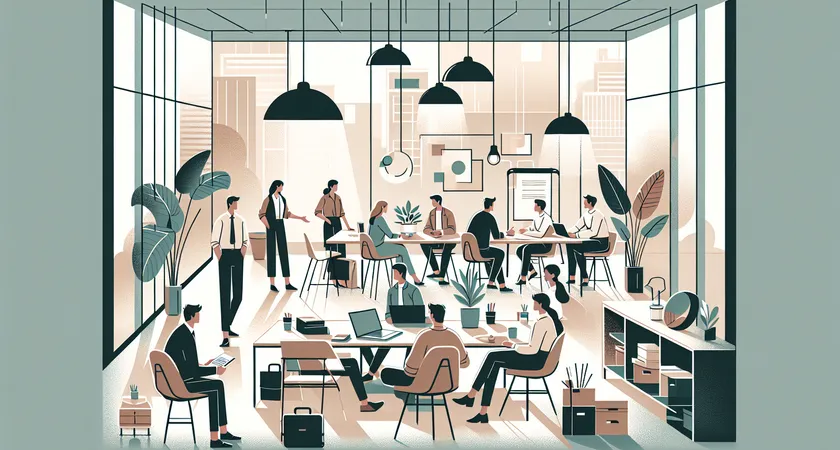
Transitioning to a dual-minded approach ensures your projects don’t sacrifice form for function—or vice versa.
Navigating UI/UX Trends and User Expectations
Innovation in UI/UX rapidly refines what users expect from digital products. Keeping pace with trends while maintaining core functionality presents a constant balancing act for developers and project managers alike.
The Impact of Modern UI/UX Trends
The rapid evolution of UI/UX trends—think minimalism, dark mode, and micro-interactions—demands ongoing adaptation. Users now expect frictionless interactions and personalized experiences across devices. According to Adobe, 38% of people will stop engaging with a website if the content or layout is unattractive. Staying current involves:
- Researching ongoing trends, such as voice interfaces or neumorphism.
- Adopting responsive, mobile-first layouts as a baseline.
- Implementing accessibility best practices for inclusivity.

Maintaining Consistency Without Compromising Functionality
Trendy interfaces can quickly become inconsistent if not grounded by standards. Consistency supports usability, helping users intuitively navigate tasks. Yet, too much focus on uniformity may stifle innovation or restrict features. Consider:
- Design systems to standardize patterns and components.
- Component libraries that speed up iteration and testing.
- Balancing visual experimentation with established norms.
Integrating these practices ensures your projects remain modern, yet intuitive and high-performing.
Enhancing Engagement Through Functional Design
UI/UX is most powerful when it’s an enabler rather than a barrier. Features like drag-and-drop, smart search, or adaptive navigation create engagement when implemented thoughtfully. Case in point: E-commerce platforms employing predictive search see a conversion rate increase of up to 24% (Salesforce).
- Personalization: Dynamic content based on user behavior.
- Accessibility: ARIA labels, keyboard navigation, and screen reader compatibility.
- Micro-interactions: Subtle animations to reinforce user actions.

Every functional feature should seamlessly integrate into the overall experience, enhancing rather than distracting.
Frameworks and Tools: Choosing Wisely for Balanced Projects
Behind every successful web project lies an ecosystem of frameworks and development tools shaping both design and functionality. With the plethora of technologies available, making informed choices is fundamental to aligning your project’s aesthetic and performance objectives.
Selecting the Right Framework for Your Needs
Not all frameworks are created equal. Some, like React and Vue, emphasize component-driven design and speedy interactions. Others, such as Angular or Svelte, bring in opinionated structures for scalability. When choosing:
- Consider the learning curve and community support.
- Evaluate how well the framework aligns with your project goals.
- Factor in integration with design systems or UI libraries.
Real-world scenario: A fintech startup opting for Next.js to combine server-side rendering (SEO) with rapid UI prototyping finds a sweet spot between performance and visual appeal.
Design Tools and Prototyping Platforms
Modern design tools bridge the gap between concept and code. Platforms like Figma, Sketch, and Adobe XD empower teams to rapidly prototype ideas, gather feedback, and iterate before writing a single line of code. Advantages include:
- Collaborative features to connect designers and developers.
- Exportable assets reducing handoff friction.
- Easy A/B testing to validate design decisions.

Effective use of design tools streamlines workflow, ensuring neither design nor functionality is an afterthought.
Integrating Performance and SEO Tools
Site speed and discoverability are non-negotiable aspects of functionality. Google’s Core Web Vitals and Lighthouse provide actionable insights for optimizing performance, while tools like SEMrush and Ahrefs guide on-page SEO. This integration results in:
- Faster load times to reduce bounce rates.
- Higher rankings on search engines.
- User satisfaction through seamless browsing.
Case Study: An e-learning platform leverages structured data and lazy image loading to improve SEO and usability, driving a 30% increase in organic traffic (source: HubSpot).

Choosing the right digital toolkit is crucial for balancing visual excellence with technical performance.
Best Practices for Seamless Design-Functionality Integration
The art of balancing design and functionality hinges on proven strategies and agile workflows. Below, we outline key approaches that foster seamless integration in professional projects.
Agile & Cross-Functional Collaboration
Agile methodologies emphasize iterative development that brings design and engineering teams together from day one. Key best practices include:
- Regular sprint reviews focused jointly on design and technical deliverables.
- Co-creation workshops to surface and solve design-functionality tradeoffs.
- Open feedback channels, enabling rapid troubleshooting of emerging issues.
Example: In a SaaS dashboard redesign, daily standups fostered instant feedback, reducing feature deployment times by 20% and enhancing the final user flow.
User-Centered Testing and Iteration
Continuous testing with real users uncovers the subtle friction points between design and functionality. Data-driven iteration ensures updates address true user needs, supported by:
- Usability testing tools like Hotjar or UserTesting.
- Heatmaps to illustrate click patterns and dead zones.
- Surveys and NPS (Net Promoter Score) for direct feedback.

Case practice: An NGO’s donation platform, after multiple user sessions, streamlined their checkout design to reduce drop-off rates by nearly 35%.
Documentation and Knowledge Sharing
Documenting design systems, coding standards, and project stylesheets brings long-term stability. It ensures every team member—present or future—understands the delicate interplay between aesthetic intent and technical execution. Documentation can cover:
- Style guides enforcing color, typography, and spacing rules.
- Component libraries for reusable UI elements.
- Technical specs explaining the rationale behind key features.
Effective documentation prevents design debt and functional drift over time.
Why Qualified Experts Make the Difference
As projects grow in complexity, the stakes for finding balance between stellar design and functional excellence rise steeply. While DIY approaches feature appeal, the expertise of seasoned professionals ensures you don’t just build, but innovate sustainably.
The Value of Professional Problem-Solving
Experienced web professionals bring cross-domain insights—from accessibility mandates to performance engineering and creative design thinking. Their holistic analysis uncovers optimizations and inventive solutions to seemingly intractable problems, such as:
- Resolving bottlenecks between visual ambition and technical realities.
- Proactive risk mitigation—spotting issues before they spiral.
- Data-driven decision making based on market and user analytics.
Case in point: A retail brand enlists a qualified development partner, resulting in a site launch that doubles conversions without sacrificing user delight.
Tailored Solutions and Continued Support
No two projects are exactly alike. Whether launching a startup MVP or transforming a legacy system, a qualified provider tailors strategies, leverages the best technologies, and ensures ongoing optimization. Benefits include:
- Custom workflows mapped to your business goals.
- Future-proof architecture ready for scaling.
- Dedicated support for maintenance and iterative improvement.

Consider: According to McKinsey, projects supported by multidisciplinary experts have a 25% higher chance of successful delivery.
Making the Right Choice for Your Project
Feeling overwhelmed by the multitude of choices? From frameworks to workflows, the myriad of possibilities can paralyze even the most driven team. That’s why strategic partnerships with knowledgeable providers translate to peace of mind—knowing every angle is handled, from beautiful first impressions to scalable back-end logic.
- Hands-on project management to safeguard timelines and budgets.
- Transparency and communication at every step.
- Integrated support for SEO, performance, and accessibility.
Bringing professionals on board means harnessing expertise that transforms vision into reality—without compromise.
Conclusion: Achieving Lasting Impact Through Balanced Projects
Balancing design and functionality remains at the core of exceptional web projects. It’s a journey that demands both creative vision and technical discipline—neither side can be ignored. As user expectations, frameworks, and business goals continually evolve, so must your approach to development. Don’t let your project fall short due to lopsided priorities. The most successful teams embrace agile collaboration, leverage modern tools, and—most critically—partner with qualified experts who ensure every detail excels.
Ready to take your project to the next level? Reach out to an experienced web development partner and turn challenges into opportunities for excellence. When you balance design and functionality with skill and strategy, your results speak for themselves.