Brice Eliasse
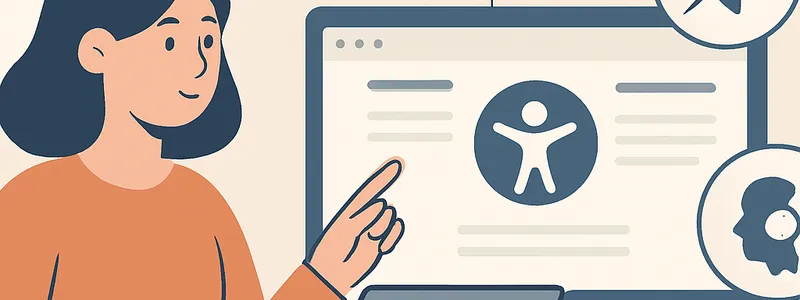
In today's digital landscape, making web content accessible to all users isn't just a nice-to-have—it's an imperative. As more people rely on digital products, web accessibility takes center stage. Right from keyboard navigation to screen readers, users have diverse needs. By improving web accessibility, organizations not only comply with legal standards but also expand their reach, enhance user satisfaction, and foster inclusivity. Ensuring sites cater to everyone—regardless of disability—unlocks potential for greater engagement and better SEO performance. Dive into this comprehensive exploration of key trends, best practices, and actionable insights for web teams and professionals eager to build digital experiences that leave no one behind. Are you ready to discover how thoughtfully designed accessibility can transform your digital spaces?

Understanding the Importance of Web Accessibility
For many businesses and web professionals, the concept of web accessibility might seem abstract. However, it is deeply rooted in both ethical considerations and pragmatic benefits. This section explores what web accessibility truly means, why it matters, and how it impacts a wide array of users and organizations. After all, a site that's easy for all to use becomes a channel for greater connection and success.
Defining Web Accessibility and Its User Base
At its core, web accessibility is about ensuring that digital content is usable by everyone, including people with disabilities. But the spectrum extends far wider: accessibility considerations benefit users with situational limitations, such as those using mobile in bright sunlight, or temporary injuries like a broken arm.
- Visual impairments: Includes blindness, low vision, and color blindness. These users often rely on screen readers or alternative text to navigate web pages.
- Auditory impairments: Refers to deaf or hard-of-hearing users needing captions and transcripts.
- Cognitive impairments: Encompasses learning disabilities, memory challenges, and attention disorders. Clear layout and simple language can help here.
- Motor impairments: Involves challenges in precise movement or control, often requiring keyboard-only navigation or speech input.
But accessibility is not only for people with permanent disabilities. Consider older adults adapting to new technology, or users with slow internet connections—everyone can face situational or environmental barriers. Did you know the World Health Organization estimates over 1 billion people worldwide live with some form of disability?

Legal, Ethical, and Business Drivers
Ignoring web accessibility can have far-reaching consequences. According to the W3C Web Accessibility Initiative (WAI), inclusive design is both a moral responsibility and, increasingly, a legal mandate. Countries like the United States (with ADA guidelines) and the EU have legislation enforcing digital accessibility.
From a business perspective:
- Failing to comply may result in costly lawsuits or regulatory issues.
- On the positive side, accessible websites often rank better in search engines, support larger audiences, and improve brand perception.
- Research by Forrester shows that organizations investing in accessibility see improvements in SEO, faster loading times, and higher conversion rates.
Ultimately, by prioritizing accessibility, you're not just doing the right thing—you're enhancing your organization's reputation and bottom line.
The Expanding Role of Accessibility in Modern Web Development
Accessibility isn't a box to tick at the end of a project—it's woven into every stage of development. With the rapid evolution of frameworks and UI trends, new challenges and opportunities arise in applying best practices consistently. Modern development teams must stay agile, integrating accessibility into their agile sprints and design thinking processes.
Are you prepared to adapt as user expectations grow? Accessibility influences everything from color choices and interactive elements to navigation and underlying markup. It requires continuous learning, practical tools, and, sometimes, expert guidance to keep up.

Best Practices and Techniques for Accessible Websites
Crafting an accessible website means more than applying a few fixes—it involves a holistic and strategic approach. In this section, we break down actionable techniques and standards that every web professional should implement to create truly inclusive experiences.
Semantic HTML and Structural Markup
Using semantic HTML is foundational for accessibility. This not only enhances SEO, but ensures assistive technologies can navigate, interpret, and present content accurately. For instance, <nav> identifies the main navigation, while <main> signals primary content.
- Use
<header>,<footer>,<article>, and<aside>for structure. - Headings (
<h2>,<h3>, etc.) should follow a logical hierarchy. - Forms need properly associated
<label>elements.
Good structural markup supports both human users and technology.

Color, Contrast, and Visual Design
Did you know that nearly 8% of men and 0.5% of women experience color blindness? Effective web design accounts for this by ensuring sufficient contrast between text and background. The WCAG (Web Content Accessibility Guidelines) recommend a minimum contrast ratio of 4.5:1 for normal text and 3:1 for large text.
- Never use color alone to convey meaning—icons or labels can help.
- Use accessible color palettes and test with tools like Color Oracle or online contrast checkers.
- Adopt flexible layouts that scale on all devices.
With responsive, inclusive design, web content remains legible and engaging for everyone—even in challenging lighting conditions or on smaller screens.
Keyboard Navigation and Focus Management
Many users—especially those with motor disabilities—rely on keyboard-only navigation. Ensuring all content and controls are accessible via Tab, Shift + Tab, and other keyboard shortcuts is essential.
- Use visible focus indicators (e.g., outlines) to help users track their position on the page.
- Ensure logical tab order that matches the reading flow of the content.
- Avoid keyboard traps—where a user can't move out of an interactive element.
For example, managing focus when modals or dialogs open ensures that keyboard users aren't lost. Tools like Axe and Lighthouse can help assess keyboard accessibility.

Testing, Auditing, and Continuous Improvement
Implementing accessibility measures is not once-and-done. Ongoing testing and iterative improvement are key. In this section, you'll learn about effective strategies and real-world tools used by top development teams and agencies to monitor and improve accessibility over time.
Automated Tools and Manual Testing
Modern web development offers a variety of automated tools to catch the most common accessibility issues early. Tools such as Axe, Lighthouse, and WAVE can scan pages and flag missing alt text, poor color contrast, or incomplete ARIA attributes.
However, even the best tools miss contextual nuances. That's where manual testing shines. Real user testing—especially by people with disabilities—uncovers usability issues that automated tests can't detect.
- Test with screen readers (NVDA, JAWS, or VoiceOver for Mac/iOS).
- Navigate the site using only a keyboard.
- Try disabling CSS to ensure logical content flow.
An effective approach combines both automated and manual methods for a holistic audit.
Accessibility Statements and Documentation
Transparency matters. Publishing an accessibility statement demonstrates a commitment to inclusive design and provides a communication channel for user feedback. It should outline your site's conformance level, known issues, and whom to contact for help.
- WCAG 2.1 compliance is an industry baseline.
- Regularly update documentation as new features are released.
- Encourage user feedback—it's invaluable for prioritizing fixes and improvements.

Documentation isn't just paperwork—it guides internal teams and reassures users.
Integrating Accessibility into Project Workflows
Accessibility must be part of your project management DNA. Start by including accessibility criteria in user stories and project requirements. Train stakeholders—from designers to QA testers—on key guidelines and empathy-driven design thinking.
- Use agile checklists to verify accessibility at each development stage.
- Assign accessibility responsibilities within the team.
- Review and iterate through short development cycles.
The business benefits? Reduced technical debt, higher product quality, and streamlined transitions from design to deployment.
UI/UX, Modern Frameworks, and Accessibility Trends
Keeping pace with evolving UI/UX practices and modern frameworks is essential for accessibility. This section explores the intersection of design trends and accessibility requirements, highlighting how the latest technologies and design patterns can either help—or hinder—inclusive design.
Accessible Components and Design Systems
Design systems and reusable components are revolutionizing the way teams approach accessibility. By codifying accessible patterns—from buttons to modals—development can scale more efficiently while sustaining inclusivity.
- Leverage ARIA roles and attributes to enhance dynamic interactions for assistive technologies.
- Pre-built component libraries like Material-UI and Chakra UI bake accessibility in by default—saving time and effort.
- Adopt tokenized colors and standardized spacing for better consistency.
Reusable patterns reduce risk of regressions and help even small teams deliver on accessibility.

Single Page Applications (SPAs) and JavaScript Frameworks
SPAs built with React, Angular, or Vue introduce unique accessibility challenges. Unlike traditional multi-page sites, content in SPAs changes dynamically—often without full page reloads. This can disrupt screen readers, skip links, or browser navigation, if not handled deliberately.
- Implement live region ARIA properties to announce updates to assistive tech.
- Maintain logical URL structures for navigation and bookmarking.
- Use routing events to manage focus and context shifts.
Accessibility testing on SPAs often requires extra attention during development—are your teams trained for these shifts?
Embracing Mobile Accessibility
With global mobile usage surpassing desktop, mobile accessibility is mission-critical. Touch targets, zoom consistency, and device orientation all play roles. Key strategies include:
- Designing large enough tap targets (minimum 44x44 px according to Apple).
- Supporting pinch-to-zoom and responsive resizing.
- Ensuring readable text and alternate navigation options (like swipe support).
Testing across devices and emulators can uncover problems before launch—don't let mobile users be an afterthought!
When to Seek a Qualified Web Accessibility Specialist
While educational resources and tools abound, there comes a point when organizations need expert guidance. Ramping up in-house expertise is possible, but partnering with web accessibility specialists brings substantial advantages—especially as standards evolve and teams grow.
Recognizing Project Complexity and Risk
Projects with complex UI logic, custom components, or high traffic volumes present increased accessibility risks. If your organization handles sensitive information, e-commerce, or serves government/public sectors, compliance stakes are higher. Professional consultants can:
- Perform deep-dive audits for both code and design workflows.
- Develop remediation plans aligned with WCAG and local legislation.
- Facilitate comprehensive staff training and process improvements.
Attempting to retrofit accessibility on intricate platforms without outside support often costs more than doing it right the first time. Investing in expert consulting saves time, money, and reputation.

Aligning Accessibility with Business Objectives
When accessibility aligns with organizational strategy—not just technical compliance—the returns are exponential. Consultants help define KPIs, perform competitive benchmarking, and communicate ROI to stakeholders. This means accessibility is no longer seen as an obstacle, but as a key performance driver fueling:
- User acquisition and retention
- Improved SEO and discoverability
- Brand leadership in inclusivity
Through workshops, documentation, and stakeholder alignment, a qualified specialist acts as a bridge, translating standards into positive business impacts.
Case Study: Transforming Accessibility into Opportunity
Consider a real-world example: A popular online retailer faced mounting complaints from blind users unable to complete purchases. An external accessibility audit revealed multiple failings—poor contrast, inaccessible buttons, and navigation barriers. Engaging an expert not only remediated issues but introduced new, accessible e-commerce features. The result? Cart abandonment rates plummeted, user satisfaction scores soared, and the brand earned media accolades for inclusivity.
Isn't it time to see accessibility as more than just a checklist item, but as a true catalyst for business transformation?
Conclusion: Elevating Digital Experiences Through Accessibility
Web accessibility is not a trend—it's a commitment to serving all users, all the time. From ethical and legal imperatives to far-reaching business benefits, prioritizing accessibility opens digital doors, fosters innovation, and builds lasting relationships with users. Techniques like semantic markup, color contrast, and responsive design are just the beginning. Continuous testing and process integration ensure projects remain future-ready.
Yet, with growing complexity in frameworks, user expectations, and regulations, even experienced teams sometimes hit roadblocks. Partnering with seasoned accessibility experts empowers your organization to navigate challenges, streamline implementation, and maximize the ROI of inclusive design. The path to improved accessibility is ongoing—but with the right guidance, it leads to a vibrant, equitable digital future for everyone.
Ready to take the next step? Consider engaging with qualified accessibility professionals to elevate your projects and unlock potential for all users—because better web experiences are better for business.